
A guide for parents — track good deeds, celebrate your children, and manage prizes.
Getting Started
Find your way around
The menu lists every area of the app: Home; Rankings (This Week, Monthly, Milestones); Prizes (Earned, Setup); Family (Family, Deed presets); and App (Settings, Help). The language selector and Sign Out are at the bottom. On a phone the bottom bar shows Home, Podium and Prizes; tap More for the full menu.
Create your account
Sign up with email and password, or continue with Google, Apple, or Facebook. No credit card needed. On mobile, tap the ☰ icon in the top-right corner to open the navigation menu.
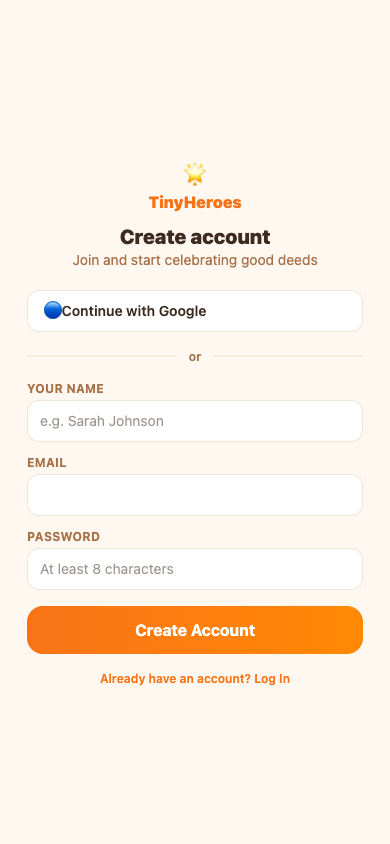
Screenshots are shown in English.
Set up your family
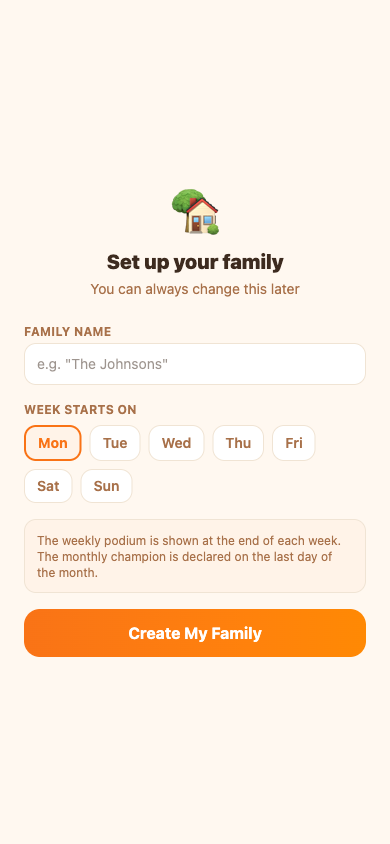
Give your family a name and choose which day your week starts. This controls when the weekly podium resets.
Dashboard
Milestone tracking
The dashboard now displays progress bars toward the next milestone prize.
Recent activity
View a feed of recently logged deeds directly on the dashboard.
Daily deed breakdown
See a breakdown of deeds logged each day of the week.
Adding Heroes
Add a child hero
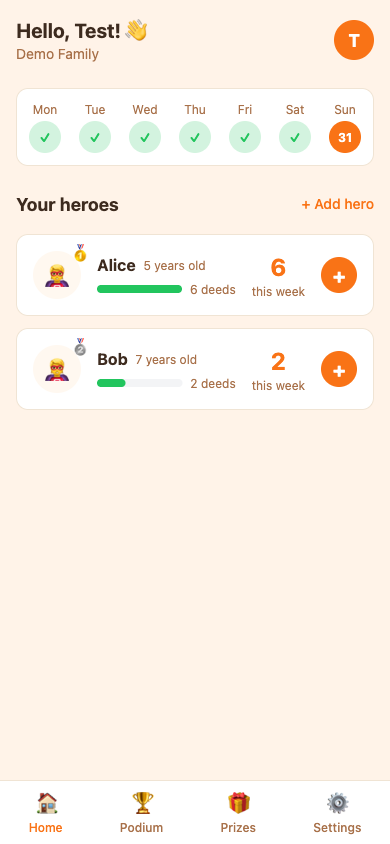
Tap + Add hero on the dashboard. Give the child a name and choose an emoji avatar or upload a photo.
Edit a hero
Go to Family. In the Heroes section, tap Edit next to any hero to update their name, birthday, gender, avatar emoji, or upload a photo.
Child Roles & Accounts
Child login
Children can log in using their own email or a parent-provided PIN code to view their dashboard.

Connect to a hero profile
Once logged in, children can connect their account to their hero profile to track their progress.
Edit child profile
Children have limited access and can only edit their avatar and preferred theme.
Logging Good Deeds
Tap a hero card on the dashboard
The dashboard shows all your heroes and their deed count for the week. Tap any card to open the deed logger.
Choose or describe the deed
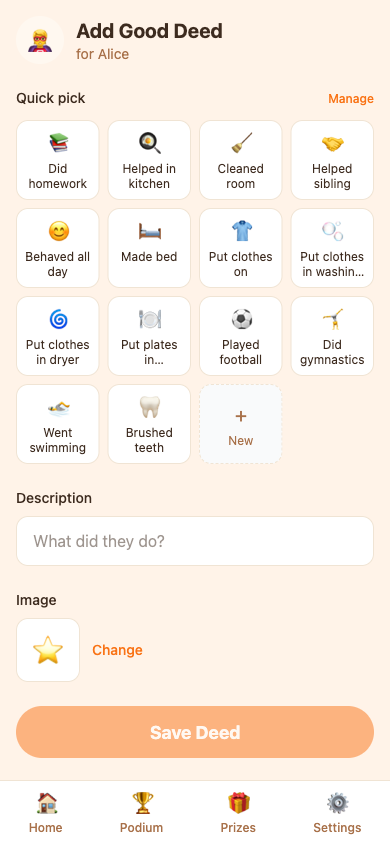
Pick from preset deeds or describe a custom one. An AI-generated image is created automatically.
Weekly Celebration & Past Results
Watch the weekly celebration
When a week has ended, Home offers the family its Weekly Celebration: a full-screen recap with fun facts, each hero's good deeds shown large, the podium and the prizes. Tap Next or let it play by itself, pause it, or skip it. It is offered once for the whole family; after a month ends you also get a short Month in Review with facts and the champion.

Look back at any week or month
On This Week and Monthly, use the arrows or the list under the title to open any finished week or month. You see the final ranking and the prizes as they were then, can watch that celebration again, and — if you manage prizes — hand out prizes, mark them as used and add comments there.
Deed multipliers
Parents can apply multipliers to specific deeds to boost the points earned.
Custom deed weighting
Assign custom weights to deeds based on effort or importance.
Waiting to be closed
If your family closes weeks manually (Family → Details, automatic closing off), a finished week or month shows as waiting to be closed: everyone sees the ranking so far, but it is not final. A parent who manages prizes presses Close the week; from then on the result is fixed, the prizes are handed out and the celebration is available.
Weekly Podium
View the weekly standings
This Week in the menu shows this week's live standings. The podium resets at the end of each week.
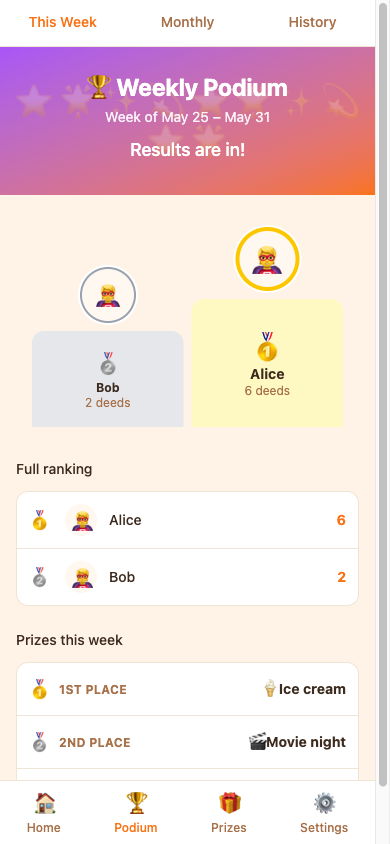
Award weekly prizes
At the end of the week, 1st, 2nd, and 3rd place winners are announced and prizes can be awarded.
Proportional leaderboard
The podium visualizes point gaps proportionally to highlight close races.
Milestone ladder
Track all heroes climbing the milestone ladder together.
Full-Page Ranking View
View the Full-Page Ranking
Display the podium, prizes, and rankings on a large screen with PIN protection.

PIN Protection
The full-page view is protected by a 4-digit PIN to prevent accidental navigation.
Configure Full-Page PIN
Family admins can set or change the 4-digit exit PIN with the Set PIN / Change PIN button next to the Full Page button on any ranking screen (This Week, Monthly or Milestones).
Auto-Cycling Rankings
The screen automatically rotates between weekly, monthly, and milestone rankings so children can see all their progress and prizes.
Monthly Champion
View the monthly champion
Monthly in the menu shows the champion for the current month. The champion is declared on the last day of the month.
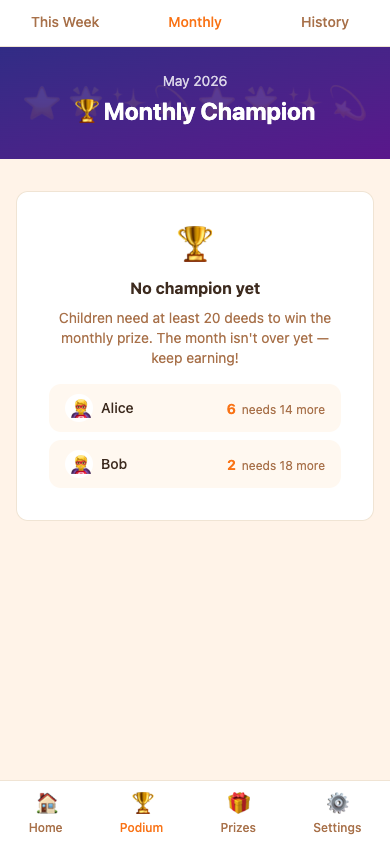
Eligibility threshold
If a minimum deed count is set, children must reach it to qualify for the monthly prize.
Prizes
Browse the prizes board
Prizes → Setup shows the prizes for every weekly place and for the monthly champion. Prizes → Earned shows what your heroes have won.
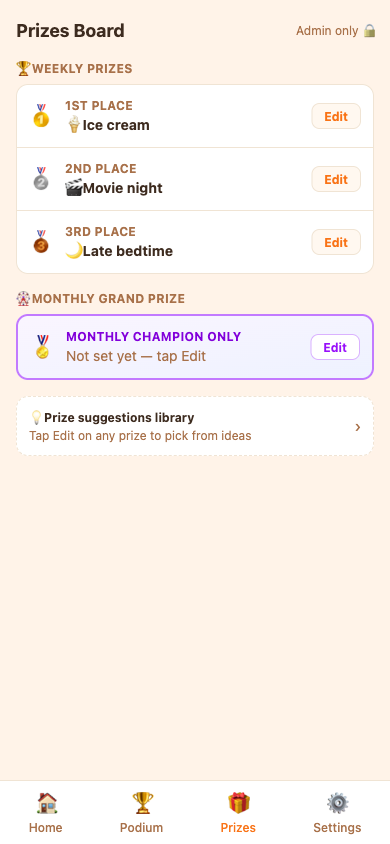
Set prizes for each place
On Prizes → Setup, tap Edit on any prize slot to choose from built-in suggestions, your saved prizes, or write a custom prize.
Mark a prize as used
Once a prize is delivered, tap Mark used on the child's profile to record it.
Milestone prizes
Set prizes that children unlock upon reaching specific deed milestones.
Extra prizes
Award one-off extra prizes for exceptional behavior.
Prize claims
Children can claim their unlocked prizes through their dashboard, generating a claim notification for parents.
Undo used status
If a prize was mistakenly marked as used, you can easily undo it by clicking the 'Undo' button in the prize details.
Invite a Co-parent
Send an invite
Go to Family → Members and tap Invite another co-parent. Enter an email address or copy the shareable link. Pending invitations are listed in the same section.
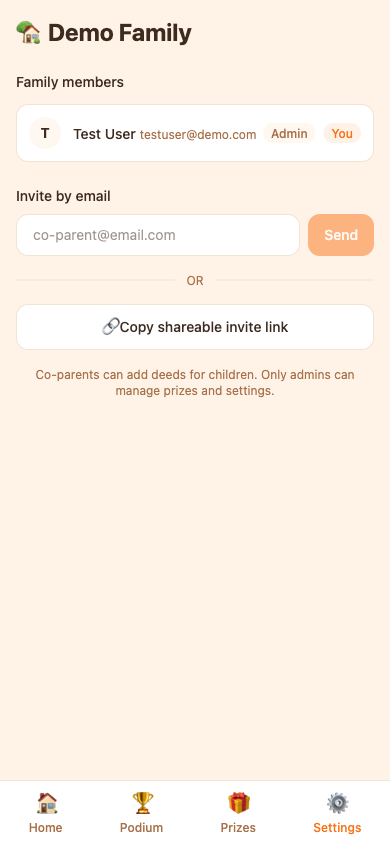
Co-parent role
Co-parents can add deeds. Only the admin can manage prizes, family settings, and prize rules.
Join a Family
Find your family's join code
Admins can find the family join code in Family → Members → Invite another co-parent. Copy the code and share it with the person you want to add — verbally or via any messaging channel.
Join with a code
New users without a family can tap "Join a Family" on the setup screen, enter the code, and send a join request.
Admin approves the request
The admin sees a notification banner on the dashboard when a join request is pending. Tap Review (or open Family → Members) to approve or reject the request.
Language & Settings
Change your language
Use the language selector in the menu, or go to Settings → Preferences → Language to change your display language.
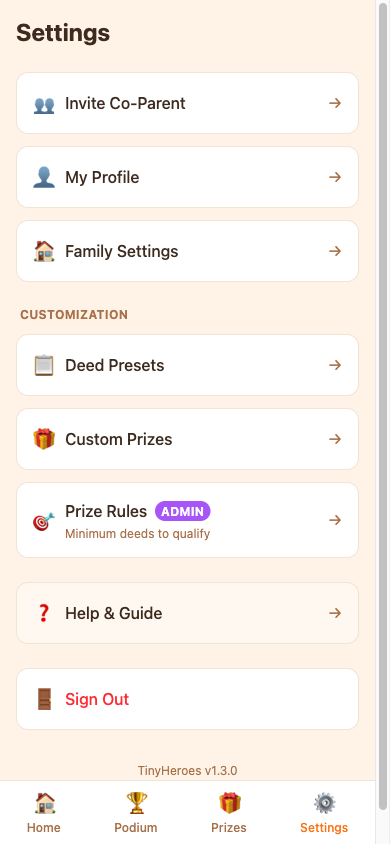
Edit your profile
Edit your display name and notification preferences in Settings.
App theme
Switch between light and dark mode in Settings → Preferences → Theme.
Family settings
Change the family name or the week start day in Family → Details.
Time zone
Set the family's time zone in Family → Details. It decides where each day and week begins, so a deed added after midnight lands on the right day.
Customization
Deed presets are in the menu under Family. Your saved custom prizes and the prize eligibility rules are under Prizes → Setup (admin only).
Deed presets
Open Deed presets in the menu to create or remove the preset options that appear when logging a deed.
FAQ & Troubleshooting
Can I add more than one co-parent?
Yes. Go to Family → Members and send as many invites as you need. Each person who joins becomes a co-parent.
When does the weekly podium reset?
At the end of the day you chose as your week start. You can change this day in Family → Details.
Why isn't the monthly champion showing?
The monthly champion is declared on the last day of the month. If a minimum deed threshold is set, all children must meet it to qualify.
Can I delete a good deed after adding it?
Yes. Open the child's profile, tap the deed, and use the delete option.
What is the AI image for deeds?
When you log a deed, TinyHeroes automatically generates a fun illustration using AI. You can regenerate it or skip it.
How do I change the prize for 1st place?
Go to Prizes → Setup and tap Edit next to the prize slot. You must be the family admin to edit prizes.
Can children see the app?
Yes! Children can log in using their own account to view the podium, their deed history, and track their progress.
How do I delete the family?
Go to Family → Danger zone. Warning: this permanently deletes all children, deeds, and history.
Found a bug or have a suggestion?
Use the Feedback button in the bottom-right corner of any page to send us a message directly.